Cari tahu informasi terkini seputar tips dan panduan bisnis, serta teknologi relevan dengan berbagai blog dan topik menarik yang dikemas untuk Anda.

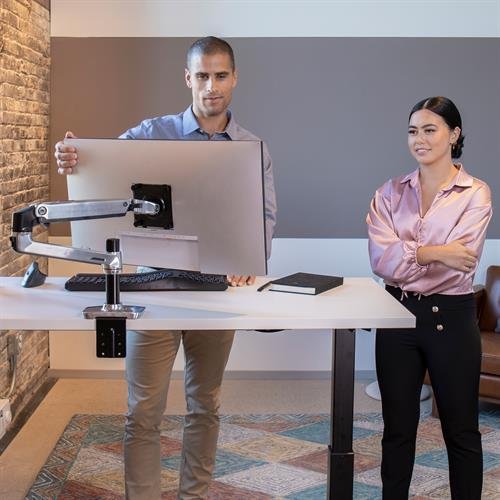
Salah satu karyawan sedang bekerja menggunakan adjustable standing desk untuk mendapatkan standar tinggi kerja meja ideal 1024x500

Ketahui Tinggi Meja Kerja Ideal untuk Dapatkan Posisi Duduk Ergonomis

[ad_1]

Bagi Anda yang bekerja seharian di depan laptop maupun komputer, mengetahui ideal adalah hal yang krusial. Pasalnya, dengan mengetahui hal tersebut, Anda memiliki peluang yang lebih besar untuk menerapkan posisi duduk yang benar. Dengan begitu, Anda dapat terhindar dari dampak negatif akibat postur yang buruk saat bekerja.

Dampak negatif tersebut umumnya berupa nyeri leher dan nyeri punggung yang sering menjadi keluhan dari para karyawan. Juga berbagai gangguan kesehatan lainnya, mulai dari nyeri sendi, nyeri panggul, nyeri lutut, nyeri pergelangan kaki, hingga masalah pencernaan.

Lantas, berapakah yang perlu Anda terapkan? Informasi selengkapnya dapat Anda temukan saat mengunjungi halaman ergonomic ini.

[ad_2]

Source link

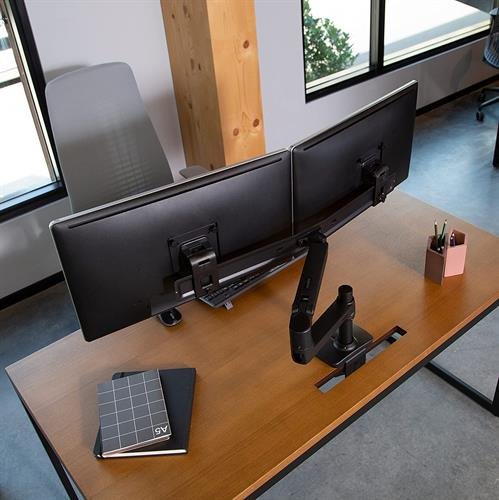
Seorang wanita sedang bekerja menggunakan monitor stand ergonomis monitor arm atau mount 1024x500

Cari Monitor Stand Ergonomis yang Andal dan Berkualitas? Di Sini Tempatnya

Apakah Anda pernah mengalami nyeri leher dan bahu serta mata merah dan lelah saat bekerja seharian di depan layar komputer? Jika iya, bisa jadi ruang kerja Anda belum menerapkan prinsip ergonomi. Maka untuk mengatasi masalah tersebut, menggunakan monitor stand ergonomis (monitor arm atau monitor mount) adalah langkah yang tepat.

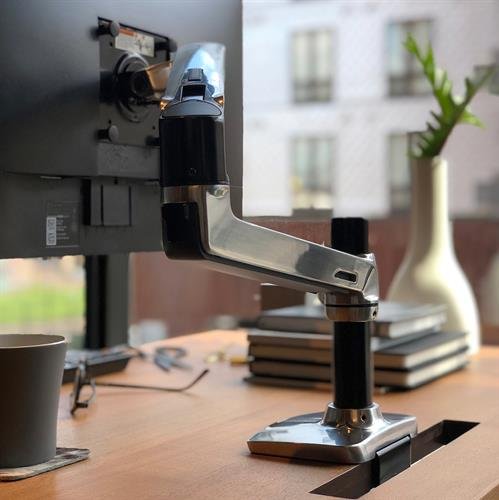
Bagi Anda yang bekerja menggunakan komputer secara intens, monitor arm atau mount bisa menjadi sahabat andalan. Lantas, apa saja manfaat monitor stand? Di manakah tempat yang tepat untuk membeli monitor arm atau mount? Informasi selengkapnya dapat Anda temukan pada halaman ergonomic ini.

Pelajari lebih lanjut

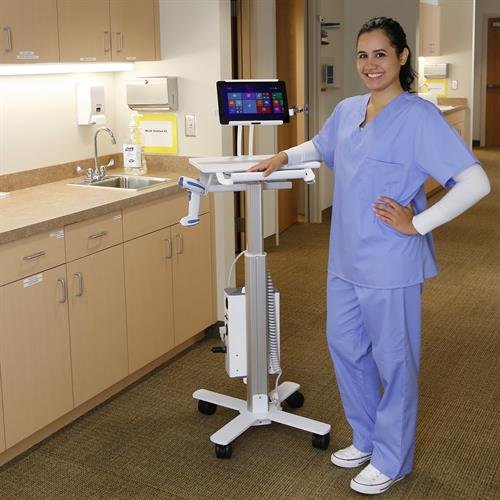
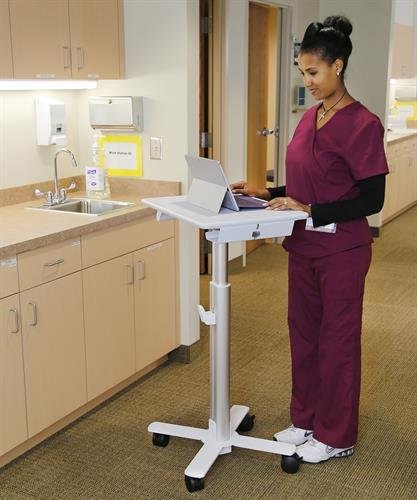
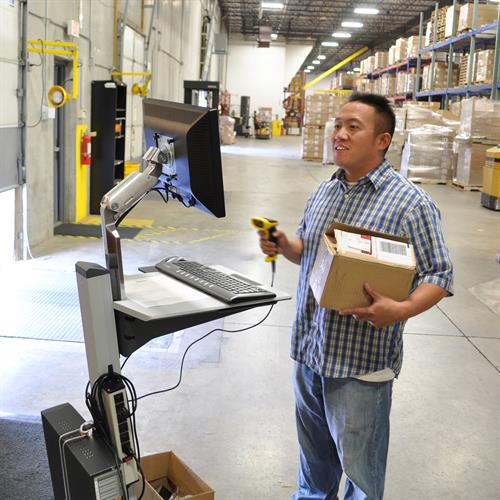
Ergotron LearnFit® Laptop Cart atau mobile workstation untuk tingkatkan produktivitas dan kolaborasi 1024x500

4 Rekomendasi Laptop Cart Terbaik untuk Anda di Tahun 2022

Saatnya untuk ucapkan selamat tinggal kepada meja kerja non ergonomis yang membuat Anda mengalami berbagai masalah kesehatan. Mulai dari nyeri punggung, nyeri sendi, obesitas, hingga yang paling serius, yaitu penyakit jantung dan kanker.

Tidak hanya menghambat produktivitas, sejumlah penyakit di atas juga dapat mengurangi masa hidup Anda. Untuk itu, Anda harus terus waspada dan yang terpenting, yaitu memanfaatkan inovasi yang sudah ada.

Memang, duduk tidaklah membahayakan. Tapi, jika Anda melakukannya secara berkepanjangan, sederet gangguan kesehatan menjadi rentan bermunculan. Hal ini tentunya tidak lepas dari meja komputer permanen yang Anda gunakan, yang membuat Anda duduk terpaku seharian saat bekerja.

Maka untuk mengatasinya, dibutuhkan sebuah terobosan baru yang mampu mengeliminasi kebiasaan duduk terlalu lama. Terobosan tersebut tidak lain dan tidak bukan adalah  atau .

Lantas, apa saja manfaat  sehingga mampu menghilangkan gaya hidup sedentari di kantor? Informasi selengkapnya dapat Anda temukan saat mengunjungi halaman ergonomic ini.

Source link

Seorang karyawan sedang menggunakan Ergotron adjustable standing desk untuk mendapatkan posisi duduk yang benar saat bekerja 1024x500

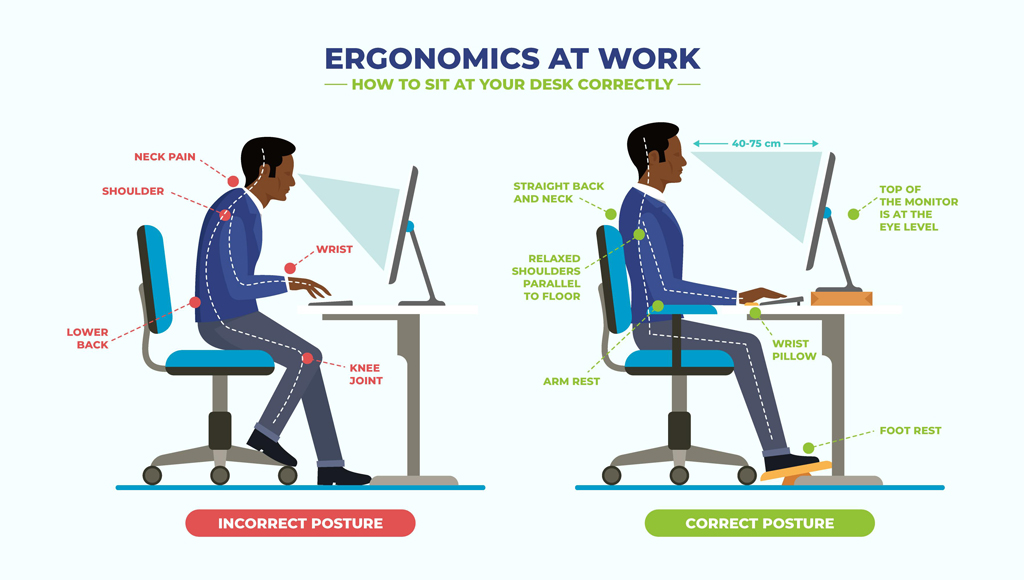
Ini Dia Posisi Duduk yang Benar saat Bekerja Menggunakan Komputer

Mengetahui posisi duduk yang benar saat bekerja di depan komputer sangatlah penting bagi para karyawan. Mengingat banyaknya waktu yang mereka habiskan untuk duduk seharian di kantor.

Duduk memang tidak membahayakan. Namun, jika Anda melakukannya secara berkepanjangan, berbagai gangguan kesehatan tentunya dapat bermunculan, termasuk nyeri punggung, nyeri leher, dan nyeri sendi.

Masalah kesehatan ini tidak hanya Anda peroleh dari kebiasaan duduk terlalu lama saja, melainkan juga posisi duduk yang salah saat bekerja.

Pada saat duduk, tubuh memberikan tekanan besar pada otot leher, bahu, punggung dan tulang belakang. Jika dibarengi dengan posisi duduk yang salah, seperti duduk sambil membungkuk misalnya, tekanan pada beberapa otot tersebut menjadi bertambah.

Akibatnya, berbagai gangguan kesehatan pun rentan bermunculan dan mengganggu aktivitas sehari-sehari para karyawan. Lantas, bagaimana cara menerapkan posisi duduk yang benar saat bekerja menggunakan komputer? Informasi selengkapnya dapat Anda temukan pada halaman ergonomic ini.

Baca selengkapnya

Lihat & baca juga

Img 1

In Business During Pandemic: Application of Technology for H&S Measures

We can’t help it really. The choice is either to give in to a most-likely economic downfall, or to fight it through despite the constant spread of the disease. If all people were self-sustained, for certain there would be no issues with long-period lock down. Unfortunately, that is not the case. Most people, most of us, donƒ??t grow our own foods, nor do we hunt or fish. We donƒ??t produce our own fuels, nor can we generate our own electricity. How do we survive?

The new normal is indeed the answer. It allows businesses to continue in operation while applying appropriate protocols to ensure health and safety of their employees and customers.

At the least, businesses pay attention on the application of these precautionary measures if they wish to reopen their premises:

  • Temperature checking
  • Hand-washing and/ or hand-sanitizing
  • Putting on face masks
  • Physical distancing

However, every business applies these measures differently. Letƒ??s get into the different methods or technologies used in the efforts to prevent the spread of Covid-19 in their premises.

Temperature Checking

Manual Temperature Measurement Device (MTMD)

Photo by Anton on Unsplash

#1: Manual Temperature Measurement Device (MTMD)

Manual Temperature Measurement Devices (MTMD) requires operator or user to hold and direct the device to the respective part of human body.

Examples of MTMD are:

  • Thermometer
  • Thermo gun
  • Handheld thermal (imaging) camera

With thermometer and thermo gun, userƒ??such as the security guardƒ??is required to be in close proximity to the subject whose body temperature is to be measured. This leads to potential risk of contagion.

With thermal camera, however, user can simply direct the device from a distance to the subject, which will certainly eliminate the risk of contagion due to proximity.

Nevertheless, there is no dispute that a dedicated personnel is needed to operate an MTMD and make sure suspected patients are separated from the mass as protocol.

#2: Automatic Temperature Measurement Device (ATMD)

As opposed to MTMD which requires manual handling, an automatic temperature measurement device (ATMD) is self-service. It utilizes a thermal or heat sensor or thermal camera to read the temperature of objects.

Examples of ATMD are:

  • CCTV camera with heat detection capability
  • Self-service automatic temperature measurement device with facial/ biometric recognition

Both devices can simply be fixed or mounted at the right locations. CCTV cameras on strategic corners of the ceilings. Facial recognition devices on pedestals or tabletops at the security gates, concierge desks, attendance check-ins, or access doors.

With these devices, authorized personnel such as security guards can simply monitor suspicious visitorsƒ?? temperatures on screen and only take required actions when necessary.

img3

Left Photo by cottonbro from Pexels

More importantly, the best feature of any ATMD is its capability to be developed further or integrate with other systems to streamline business processes and improve efficiency. Below are some examples.

ATMD with Back Office Alert System

With back office alert system, no dedicated personnel should be ƒ??eye-ballingƒ?? on screen in search for suspected patients. They can do other tasks while waiting to be notified when temperature reading is alarming.

ATMD with Back Office Alert System

Photo by Pixabay from Pexels

ATMD with Attendance System

Integrated with an attendance system, not only ATMD unit will be able to detect who is checking in or out. But, it will also read and record the personnelƒ??s temperature in the system. A special notification can be produced when temperature is alarming, or even better the HR department can receive alert on the suspected patients.

ATMD with Access Door System

This example of integration of ATMD is the best and most efficient of all. It does not require any back office personnel to take physical actions upon detecting suspected patients. Instead, itƒ??s simple. The system will simply reject the personnel at the entrance by not opening the access door for them. In this way, there will not be any risk of contamination as suspected patients are not at all permitted in the premises.

To learn more about self-service automatic temperature measurement device, visit here.

Hand Washing

#1: Manual Hand Washing Station (MHWS)

Manual Hand Washing Station (MHWS) dispenses water and soap by manual trigger. Usually user simply turns the water faucet and press the hand wash bottle to eject the cleansing liquid. Another way to dispense water and soap manually is by installing a mechanics that allows user to simply step on the water pedal to dispense water from the tap, or the soap pedal to eject the hand wash.

While the first method is simpler, the latter however minimizes person-to-person contamination from touching the water faucet and hand soap pump.

#2: Automatic Hand Washing Station (AHWS)

With proximity or heat sensor, water tap and hand soap dispenser can be equipped with the capability to detect presence living body in this case the hands. Upon successful detection, water or liquid hand soap will be dispensed accordingly, minimizing surface contact.

Hand Sanitizing

Similarly, hand sanitizer dispensers can comprise of two types: manual and automatic. The manual one requires user to press the pump to eject the sanitizing liquid. On the contrary, the Automatic Hand Sanitizer Dispenser (AHSD) avoids contamination due to hand-to-hand transfer.

Some AHSD units even incorporate digital signage as an effective media to educate and spread awareness on Covid-19 and its prevention. The signage also serves as promotional tool that facilitate up-selling or cross-selling activities.

To learn more about automatic hand sanitizer dispenser, visit here.

Putting on Face Masks

img5

Photo by Anna Shvets from Pexels

How do businesses guarantee that all employees or visitors entering their premises wearing face masks?

Other than enforcement by procedure and repeated education, businesses can provide face mask alerts using face recognition technology.

With incorporation of face recognition technology at ATMD or attendance system the software can be developed to identify if a person is wearing a face mask or not. Written and voice-over reminder can be provided in case someone does not put his or her face mask on.

Better yet if the technology is integrated with access door system. Those without face masks will be guaranteed no admission to the premises.

Physical Distancing

img6

#1: Floor/ Seat Labeling

The easiest way to facilitate social distancing is by labeling every certain distance of the floor or on the seats on which people are at a safe distance from each other. This method is applicable in supermarket, cashierƒ??s queue, customer service centers, bank branches, pharmacies, clinics and hospitals, and more.

With this method, crowd awareness is highly expected. However, crowd control through verbal reminders and notifications may still be required from officers in charge.

#2: Digital Signage


Integration with Count Sensor

Modern convenient stores and supermarkets have usually applied count sensors at their entrances/ exits. A system that integrates with these sensors can be developed to display visual information on digital signage, for example on:

  • The maximum number of people allowed in the premises
  • The number of people currently within the premises
  • Alert when the maximum number allowed has been reached or exceeded

With this information displayed before the entrances, customers or visitors would be made aware on the situation. Thus, they may enter or wait accordingly.

On top of that, in addition to visual alert, the system may also be developed to produce sound or voice over alert through built-in speakers, buzzers or PA system.

Integration with CCTV Camera

Not only providing the total number of people currently within the premises, with integration with CCTV camera having heat detection capability, the system will also be able to recognize distances between one body heat to another. This helps identifying potential contamination due to close proximity, from which alerts can be provided to officers in charge to investigate and resolve the situation.

Other Technologies

In place of officers, some businesses have started to look into various robotics and automation technologies. Robot attendant or concierge has paved its way to help minimize people to people contacts. Virtual Services such as virtual tellers or customer services are becoming more popular, particularly with self-service machines developed for the purpose.

Cash transactions are converted into cashless. Or, cash handling is at least minimized with the use of machinery to support semi- or even full-automation.

Also, more and more businesses explore and convert their on-premise services to online services, with online delivery services come in line for delivery of physical goods.

The point is, we may see more business transformation ahead as no one knows how long this pandemic situation would last. Worst, the world may have just to adjust their lifestyle and how they conduct their businesses to survive and ƒ??stay aliveƒ?? along with the virus. Weƒ??ll just have to wait and see.X

Source link

2020-07-29 04:17:00